


⏩ TL;DR – This Week in SysAdmin Land
• Incident response plans and backup / DR strategies are boring, neglected, and absolutely career-saving when things go sideways. Review them before you need them.
• New podcast episode out: When Incident Response Plans Meet Reality, covering what actually belongs in an IR plan, who should be involved, and how tabletop exercises should work in practice.
• Curiosity isn’t optional for SysAdmins. Using short, intentional learning sessions can help you keep skills sharp even when motivation is low.
• Community signal worth your time: strong arguments for using Markdown and the CLI to improve focus, consistency, and long-term maintainability of technical documentation.
From the Console
With it still being somewhat near the start of the year, we’ve been reminding our listeners that it’s a good time to take a look at those…. foundational SysAdmin things that we tend to neglect. This would be things like Backup & DR planning, incident response plans…. recovery testing…etc.
Now to preface this opening section of this week’s newsletter I’m not judging anyone here. I get it. End-users are pounding on your door, mail services went offline AGAIN, and you’ve got a project list as long as the help output for ffmpeg. The last thing you want to think about are incident response plans that should still be good.
Also relevant along these lines and interesting, is our watch / listen metrics for last week’s episode aligns with this mindset as well. In our episode last week Eric and I discussed Incident Response Plans in the Real World and the consumption of that episode was noticeably less than normal. Again, I’m not knocking anyone, it’s just an interesting data point that supports my theory that the average SysAdmin either doesn’t have time for incident response / backup & DR planning or its boring and / or overdone in terms of content, or everyone assumes existing plans are…. fine.
I have to say, that in terms of interest and “general IT priorities”, incident response planning isn’t the sexiest topic, but it is a critical and foundational one. As SysAdmins, it’s our job to insure systems uptime and data safety whether that (thankless) work is visible to the organization or not. An (at minimum) annual review of your incident response and backup & DR plans does a couple things:
· Highlights technical gaps or limitations within critical business infrastructure
· Informs key stakeholders within the business that may have moved / changed / forgot about these initiatives
· Helps prevent overly long outages
· Safeguards company data
· Makes you look like the superhero and INSTANTLY validates your salary the second something happens and you’ve got the magic plan that saves everything
What’s the saying?
“An ounce of prevention is worth a pound of cure.”
Block some time off in the calendar, and soon. Again, I know these items aren’t interesting. They aren’t some shiny new tech that needs to be installed. They aren’t business transforming things, but you’ll be much better served to have them ready (and updated) and not need them, than the other way around. Chaos without a plan is just chaos. Chaos with a plan is still chaos, but at least it’s managed chaos where you come out the hero, and your organization stays out of news.
If you’d like some real world guidance on the review of your incident response plan and backup / DR plan, be sure to check out last week’s episode of the SysAdmin Weekly Podcast listed below!
Also, if you’d like to chime in with your incident response / backup & DR success (or horror) stories, check out this thread on the SysAdmin Weekly GitHub Discussions Board!
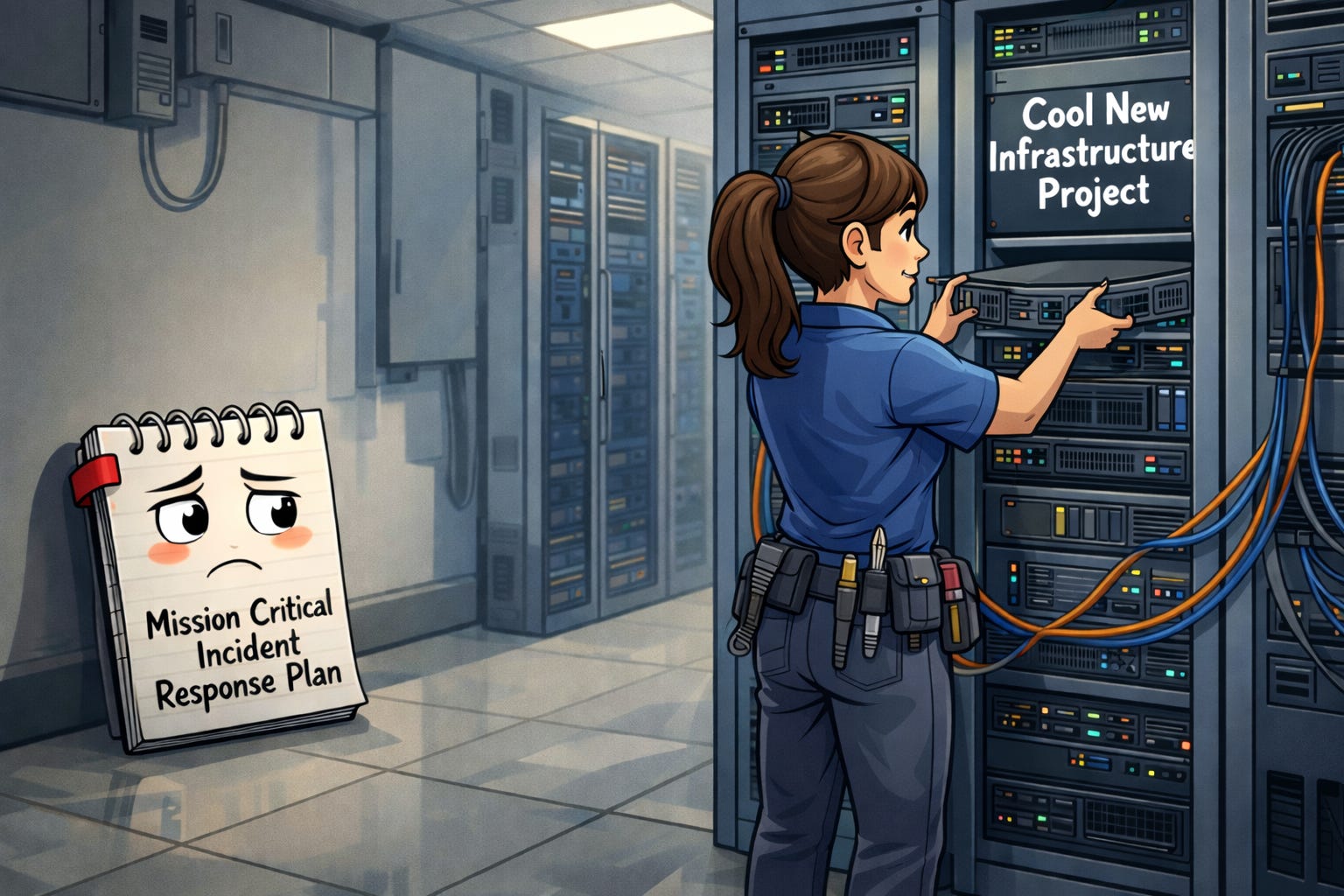
A SysAdmin ignoring the incident response plan in favor of cool infrastructure projects
And now…. back to our regularly scheduled programming.
🎙 The latest on the SysAdmin Weekly Podcast
SysAdmin Weekly - 037 - When Incident Response Plans Meet Reality
SysAdmin Weekly - 037 - When Incident Response Plans Meet Reality
Topic: In this week’s episode Andy and Eric discuss one of the most groan-inducing and seemingly boring SysAdmin Topics on the planet: Incident response plans. While many SysAdmins dislike the documentational nature of building (and maintaining) incident response plans, they are one of the most critical components to ongoing operations. To put it shortly, when you need it, you NEED it.
This episode gives you the details on:
· What to include in your incident response plan
· What stakeholders within your organization to involve
· Frequency and details covered during table-top exercises
· Lots more!
The episode also includes the usual nerd-hour talk, VMware / Broadcom gripes…etc.
Episode Links Here!
· SysAdmin Weekly - 037 - On YouTube
· SysAdmin Weekly - 037 - On Spotify
· SysAdmin Weekly - 037 - On Apple Podcasts
The Take - Curiosity Should be a Weekly Mandate for SysAdmins
I wanted to make a short take this week to continue some commentary on the importance of curiosity as a core trait(s) needed by SysAdmins.
It’s easy in this industry to rest on your existing knowledge, but you’ll find that you fall behind pretty quickly. It can be difficult to focus on learning new skills on the regular, especially when it’s (maybe) a technical skill that you’re really not interested in, but is required due to things you have to support during your day job. I find that curiosity helps with the resistance in this situation.
There are certain technical skills that I’ve committed to training myself on over the course of 2026, but they aren’t always the most interesting (I’ll plan a future blog post on this). What I find works well for me is to spend a little time digging into something that I AM highly interested in prior to tackling the “un-interesting” skill. For example, I’ve long been curious about Unity. While I’m not officially a programmer, I dabble. On top of that, I’ve been playing video games now for nearly 40 years, which is basically how long I’ve been able to properly use a controller. As such, I’ve always had an interest in tinkering with game engines and maybe someday building my own game.
With that said, the sequence I’ve found that works well for learning those “un-interesting” skills is the following:
· Define a training time period
· Start with a short session tinkering / training on something that actively interests you. (Unity in my case)
· Actively work on the training / tech that you’re obligated to work on
· Repeat sequence as needed
Is this context switching? Yes… to a degree, and yes, I do hate context switching. But, session lengths should be long enough to where it doesn’t really have an impact. For example, I follow the pomodoro method for just about everything. In this context, I’ll tinker with unity for 25 minutes (one pomodoro) and then commit 2 pomodoros to the other training need.
This method helps make sure that I learn the skills that I need to learn for external reasons, while also keeping my brain engaged and in “learning mode”.
Hopefully this will be as helpful to you as it is to me!
Community Signal
High-signal community work worth your attention.
Ryan Elston – Why I Use Markdown and Why You Should Too
As I’ll shortly be singing the praises of Markdown later in this newsletter, this article by Ryan Elston seemed to be highly relevant. In this post Ryan covers why Markdown is a highly valuable documentational language and even provides a great argument for why you SHOULD be using markdown along with some markdown authoring tools to get started!
Mike Robbins - Write clear step-by-step Instructions Using Markdown
Mike Robbins is also a fantastic source of information about markdown as well as how to properly use it in a how-to format. It’s worth noting that Mike is also a great source of PowerShell scripting knowledge as well! His blog is highly recommended!
Question I Got Asked (and the Real Answer): “Why are you obsessed with the CLI and markdown?”
Boy, it’s been a very commentary heavy week for me throughout this edition, but I feel like this will all provide some value (at least I hope it does).
Those that watch / listen to The SysAdmin Weekly Podcast know that I am an absolute CLI and Markdown nerd. My co-hosts have even made fun of me during certain episodes, which is warranted if I’m honest about it.
It so happens that I have had this question levied at me several times over the past couple of weeks:
*“Why are you obsessed with the CLI and markdown?”
First, valid question. Second, I’ll plan on a long form blog post or YouTube video (maybe both?) that explains my method and the “Why?” behind it.
In short I author ALL of my content using the following tools:
· vim (A CLI-based text editor)
· Git, GitHub, & Gitea (to act as change tracking methods & content repositories)
· Markdown (my documentational language of choice)
· Pandoc (for converting markdown content to finalized formats)
To keep it short and straight to the point here, the core reasons “Why?” are as follows:
· I’m an easily distracted person, and CLI UIs are clean, focused, and purpose-built.
· Markdown is a defined and rule-driven documentational language that should output in concise formatting regardless of the author, assuming markdown principals are followed.
· As part of my job and my tech community efforts I spend A LOT of time authoring content of various types.
· A CLI environment paired with markdown prevents context switching, enables focus, and insures unified and consistent output.
· By using Git and Git-compatible repos I get the full benefit of code-review, pull requests, and commit history through the lifespan of the content
I’ll plan on covering this in a future blog post in more depth or via a podcast episode, but if you have questions you can reach out to me on LinkedIn or feel free to start a thread on the SysAdmin Weekly GitHub Discussion Board!
Until Next Week
Thanks for hanging out with us for another week! May you remain curious in your SysAdmin journey, and may your packets continue to flow as planned throughout the weekend!
Stay frosty!
Andy @ SysAdmin Weekly